Property research software for Jasper and Newton County investors
Find a property, see who owns it and how it got here, and keep every deal organized, all in one place. Here’s how it works.
1. Find
Find any property in Jasper or Newton County
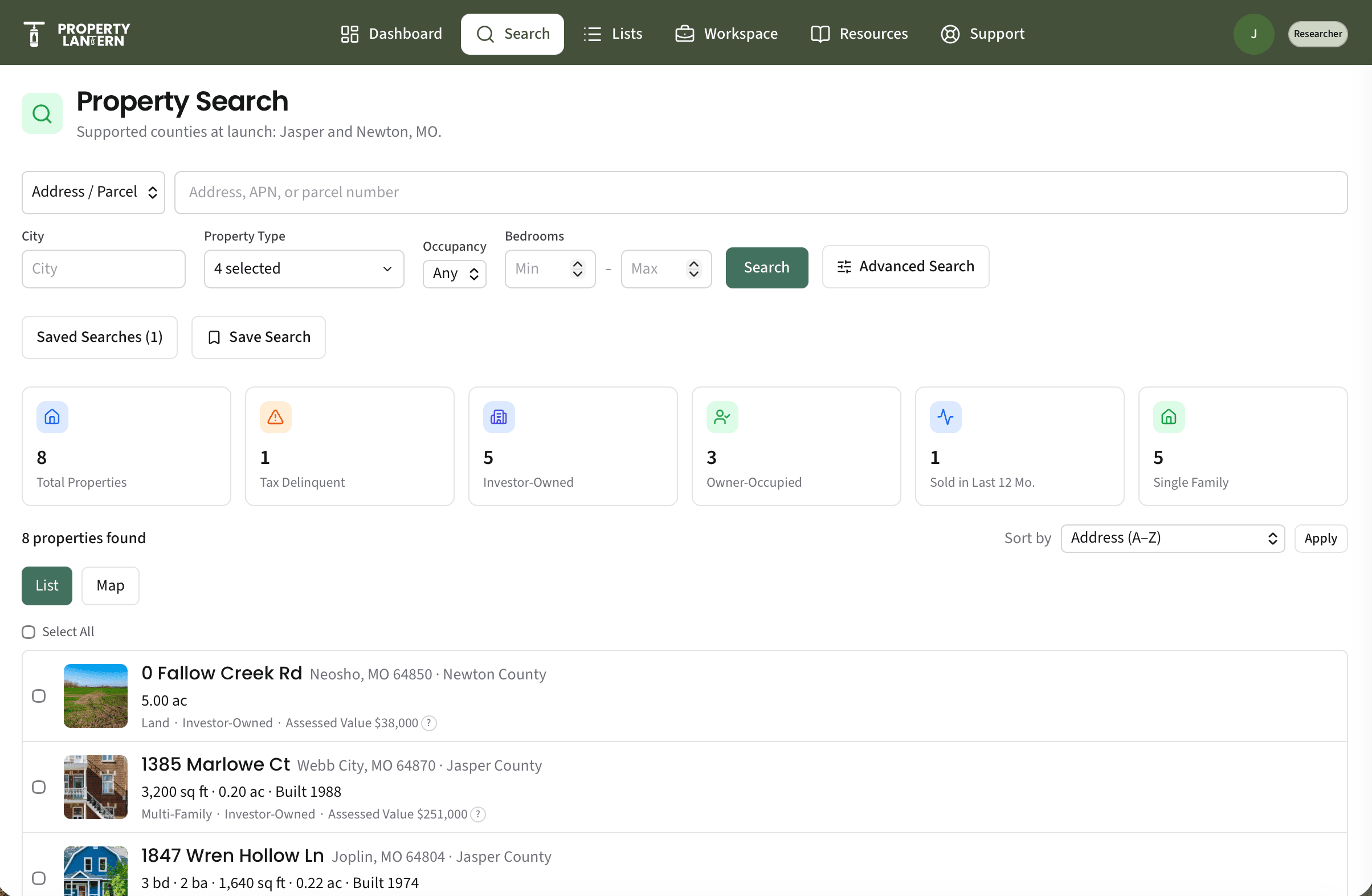
Start with an address, ZIP code, county, or parcel number. Results show up as a list and on a map, so you can work a neighborhood the way you actually drive it.
- Search by address, ZIP, county, or parcel number
- Filter by property type, bedrooms, occupancy, and more
- List and map views that stay in sync
- Save searches and come back to them
2. Research
Know who owns it and what happened to it
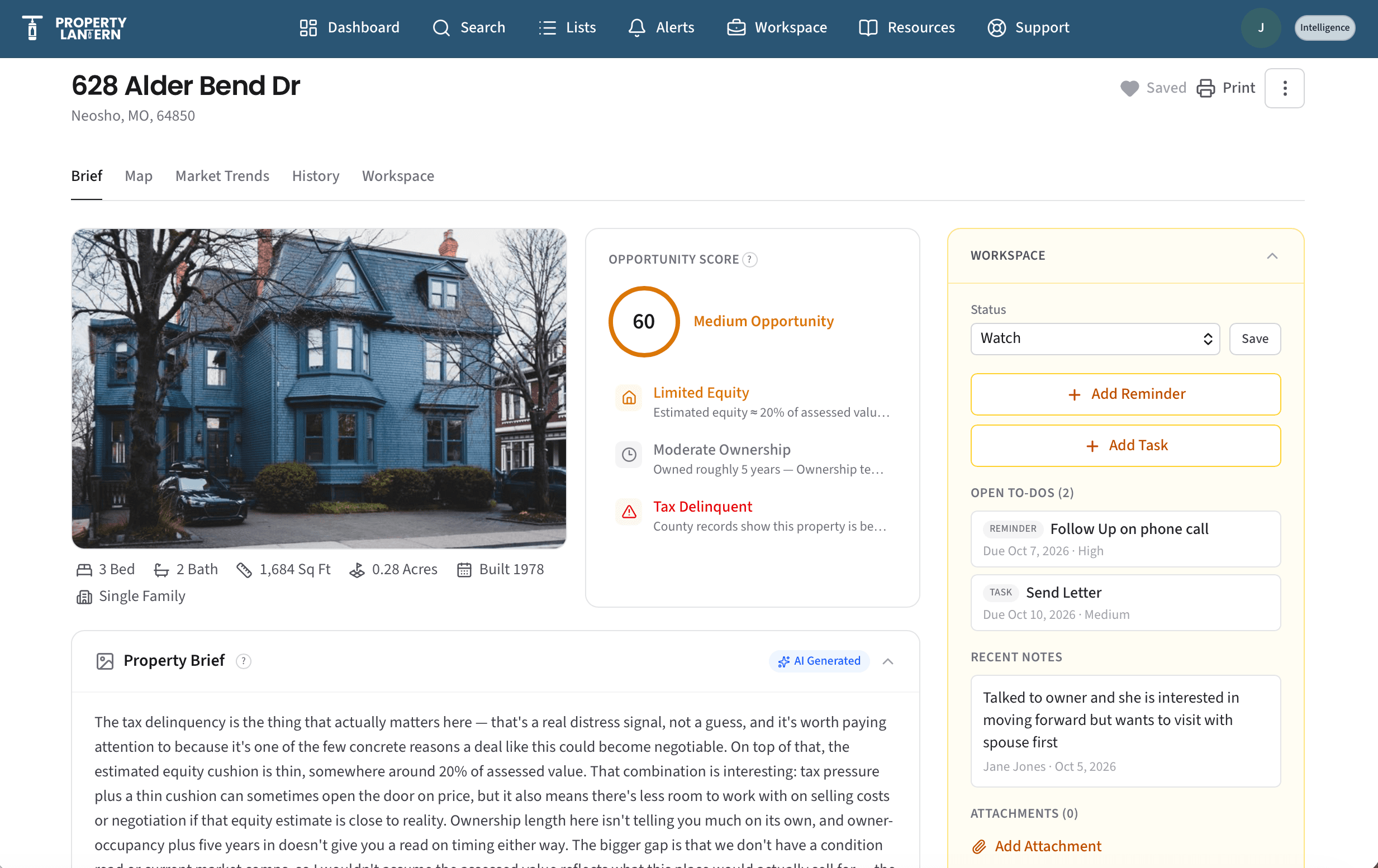
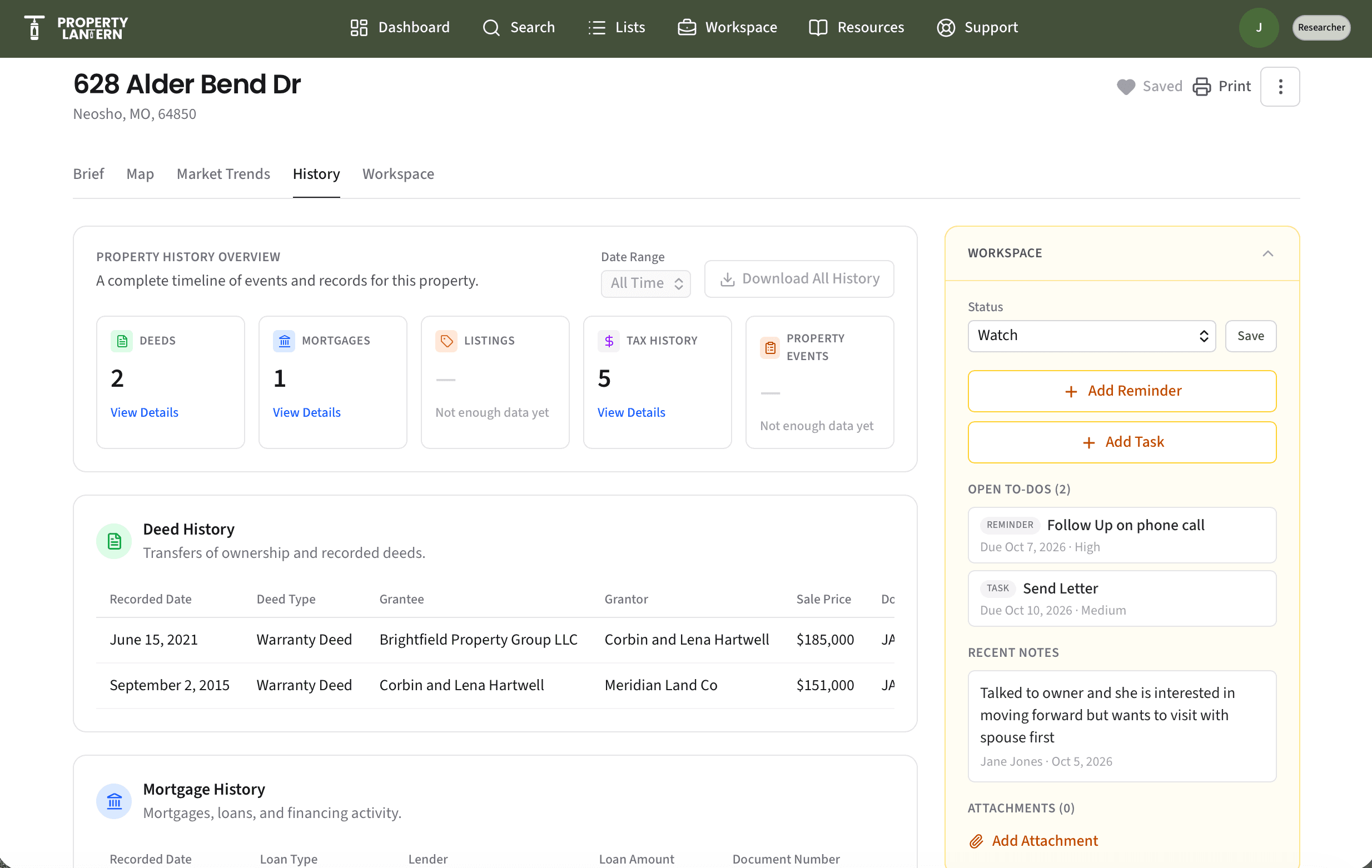
Every property record pulls the key facts into one page: what the property is, who owns it, how it has changed hands, and what has been recorded against it.
- Property snapshot: location, physical characteristics, market info
- Ownership details and mailing address
- Deed, mortgage, and tax history in one place
- Plain-language summary of what the records show
- Opportunity Score and AI Property Brief
3. Prioritize
Know which properties deserve your attention today
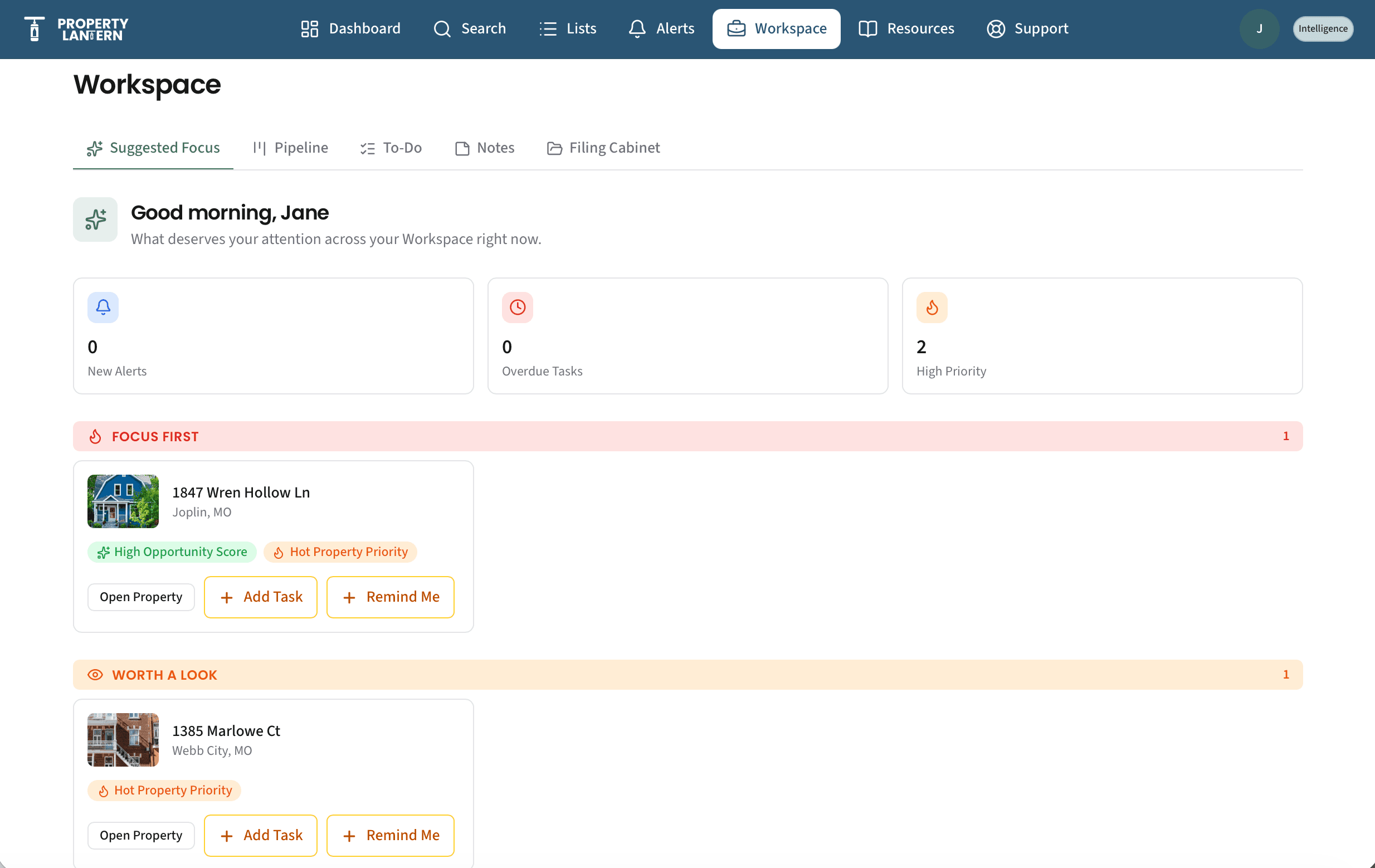
Suggested Focus looks across the properties in your Workspace and surfaces the ones that need a move: an overdue follow-up, a stalled deal, a property worth a second look. AI-generated content can make mistakes, so treat it as a starting point and do your own due diligence.
- Suggested Focus ranks what to work on next
- Opportunity Score shows the signals behind each rating
- Email alerts on properties you track
- Smart Lists that stay current as properties match your criteria
4. Track
Run your deals from a Workspace, not a spreadsheet
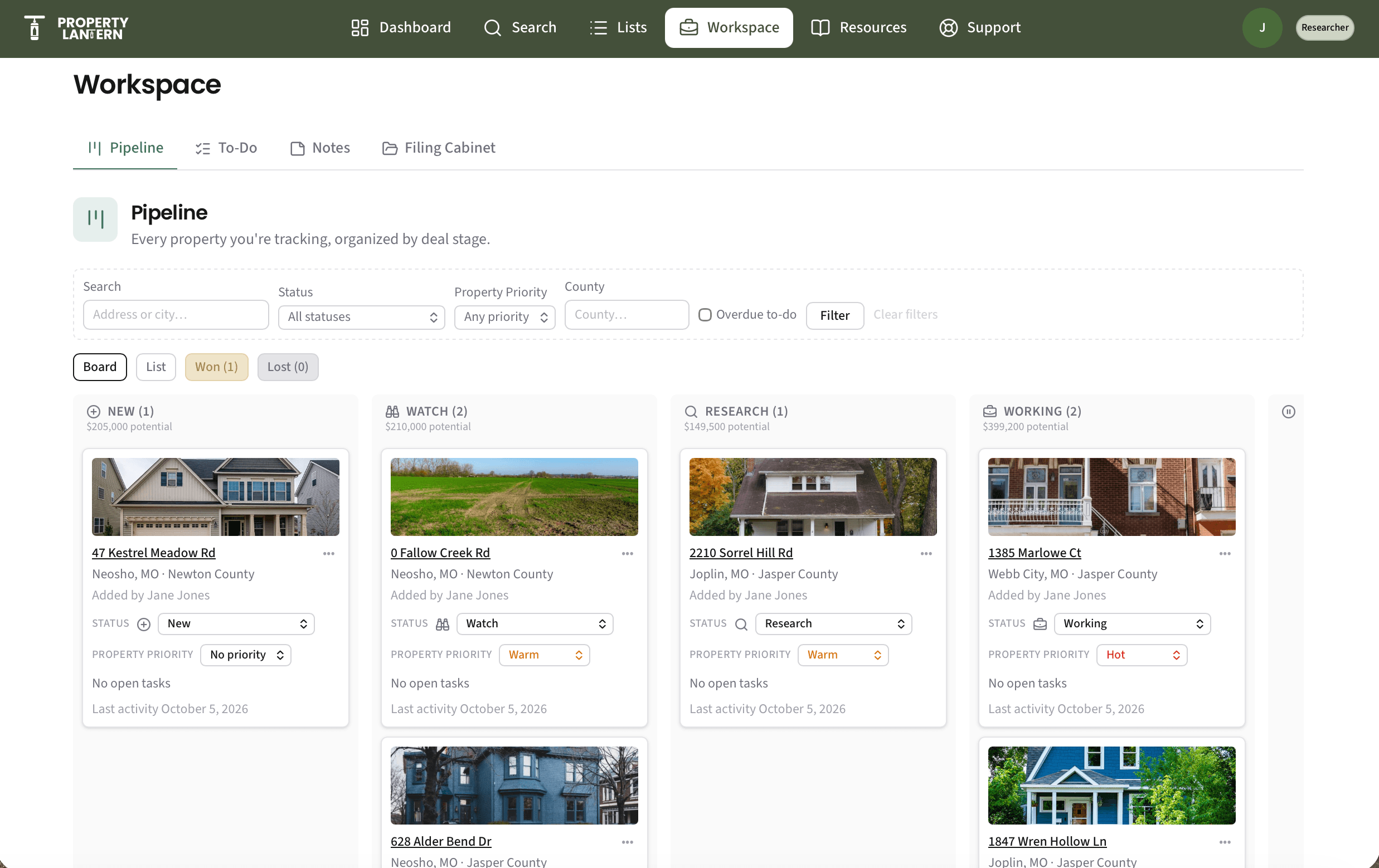
Save a property and it lands in your pipeline. Move it from first look to closed, and keep every note, task, reminder, and file attached to the property itself.
- Pipeline board and list view with status and priority
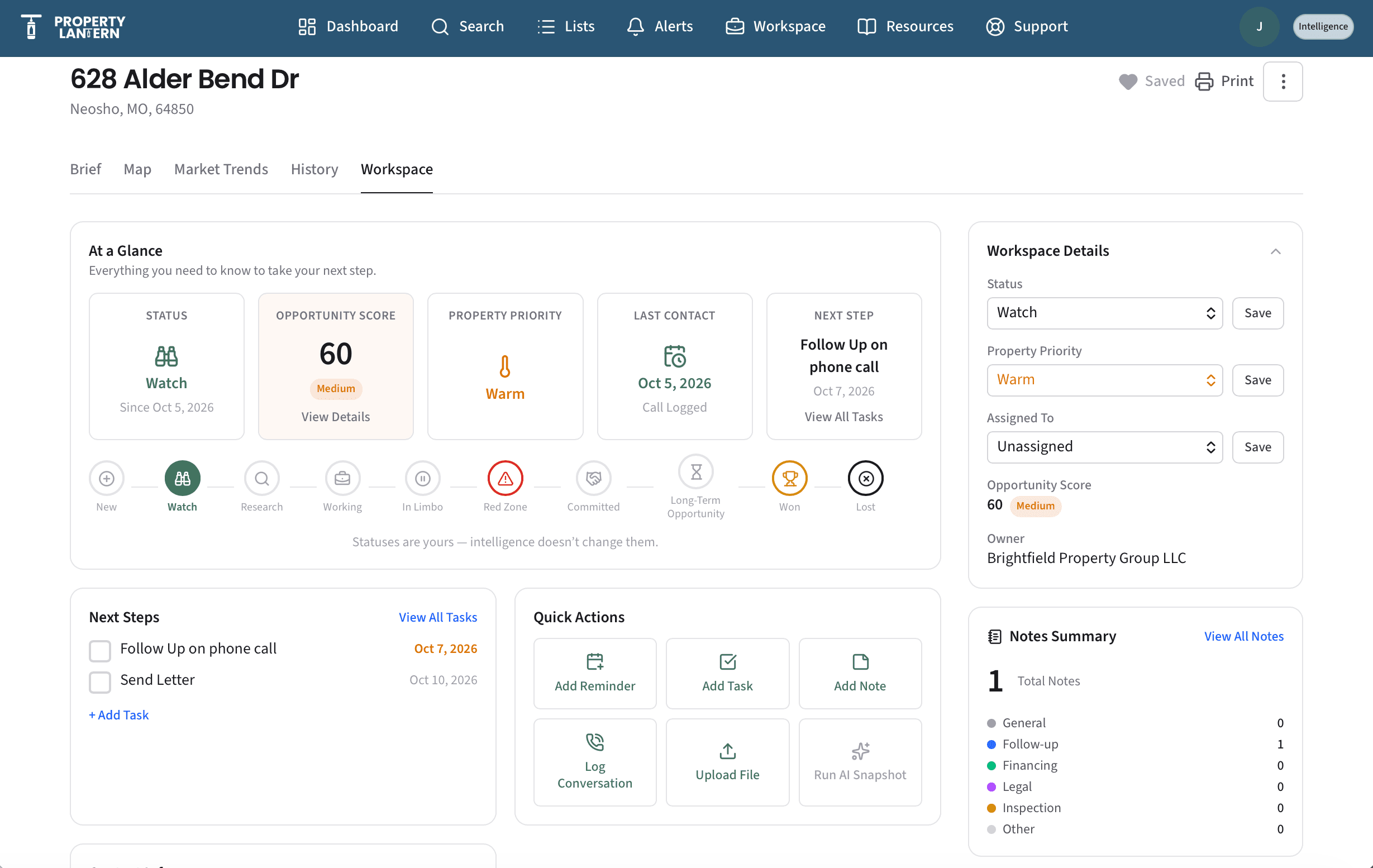
- Notes, tasks, and reminders tied to each property
- Log conversations and keep owner contact info with the record
- A file cabinet for contracts, photos, and paperwork
5. Organize
Keep your market organized as it grows
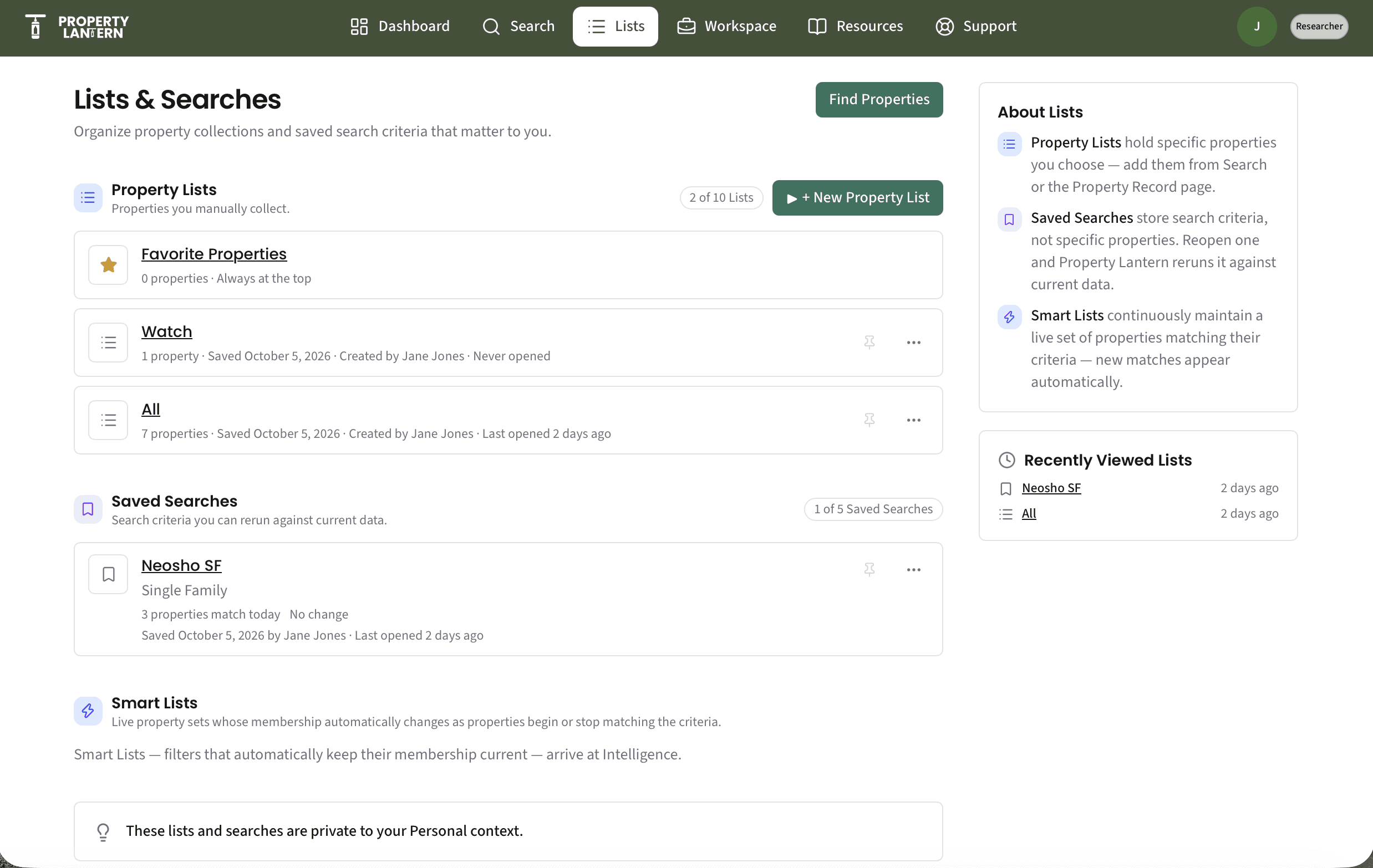
Group properties into lists by neighborhood, strategy, or campaign, and export what you need when it's time to work them.
- Property lists you can add to from search or any record
- Saved searches for the markets you watch
- CSV export of the records you choose
- Free templates, guides, and calculators in Resources
Working with others
Bring your team into one Workspace
Add a Team to share one pipeline, one set of lists, and one trail of notes, tasks, and files, so a partner, agent, or crew member always sees where each property stands.
One shared pipeline
Everyone works from the same Workspace, so status, priority, notes, tasks, and files for each property stay in one place.
Roles that fit
Give each person a role (Owner, Manager, Contributor, or Viewer) so people can do what they need and nothing more.
Shared lists and Smart Lists
Build property lists and saved searches once, and work from them together instead of passing spreadsheets around.
Teams are an add-on for Intelligence and higher. See Team pricing.
Find the right plan for how you work
See what’s included in Explorer, Researcher, and Intelligence side by side, along with the limits for each plan.
Compare plans and featuresBuilt for people who work property
Investors, flippers, realtors, and landlords
Understand a property's ownership, sale, and mortgage history before you list, bid, or buy, then keep your notes, tasks, follow-ups, and files attached to every address you're working.
Insurance agents
Confirm who owns a property, its mortgage and tax history, and its key characteristics when you're quoting or reviewing coverage, and keep your notes with each property.
Contractors
Look up property details and ownership as you find and scope work, and keep bids, photos, and follow-ups together for every job site.
How Property Lantern is different
Local depth, not national breadth
National tools such as PropStream and BatchLeads cover the whole country. Property Lantern is built around Jasper and Newton County, Missouri, so the focus is on making this market clear rather than covering every market.
Plain language
Records are shown in plain terms with the details behind them, so you can see what a property's history means, not just a column of values.
Free to start
Property search and your Workspace are free in Explorer. Pay for Researcher only when you need ownership details and full deed, mortgage, and tax history, and for Intelligence only when you want opportunity signals and alerts.
Frequently asked questions
What areas does Property Lantern cover?
Property Lantern currently focuses on Jasper County and Newton County, Missouri, including Joplin, Carthage, Webb City, Neosho, and the surrounding communities.
Is Property Lantern free?
Yes. Explorer is free forever with no credit card required. It includes property search, property snapshots, a Workspace, and a Property List. Researcher adds ownership details, mailing addresses, and full deed, mortgage, and tax history. Intelligence adds an Opportunity Score, AI Property Brief, Suggested Focus, email alerts, and Smart Lists.
How do I find the owner of a property?
Search for the property by address or parcel number and open its record. With a Researcher plan, the record includes ownership details and the owner's mailing address.
Can I track my deals in Property Lantern?
Yes. Save a property to your Workspace to track it in a pipeline, add notes, tasks, and reminders, log conversations, and store files with the property.
Can I use Property Lantern with a team?
Yes. Teams are an add-on for Intelligence and higher that lets you share one Workspace, lists, and saved searches, with a role for each member. See the Pricing page for team sizes and prices.
How is Property Lantern different from PropStream or BatchLeads?
Those tools cover the entire country. Property Lantern is built for Jasper and Newton County, Missouri, with plain-language property research and a free tier to start with.
What’s ahead
These aren’t available yet. They’re the direction we’re headed.
- Relationship connections across owners and properties (Insider)
- Portfolio-level tools for working larger holdings (Insider)
- Text message alerts
Ready to take a look?
Explorer is free forever, with no credit card required.